When customers report issues outside of Snap Send Solve, there’s a good chance your team spend more time chasing missing details than actually fixing the issue at hand. A photo that never got attached. A location that's vague at best. A report that lands with the wrong team and needs to be re-routed. None of it is a big problem on its own, but it adds up to a backlog that's hard to shift.
This edition looks at where that follow-up work really comes from, and how councils like Inner West and South Gippsland are closing the gap before it starts.
In this edition of the Scoop we’ll explore:
- Where the follow-up work really comes from
- What changed when the follow-up work disappeared at Inner West Council
- The video feature that can save a site visit
- How South Gippsland got residents reporting better from the start
Where the follow-up work actually comes from
A report from the Commonwealth Ombudsman on preventing administrative delays found that public-sector backlogs are largely driven by incomplete or irrelevant information provided by those seeking services. When staff don't have clear context upfront, they end up chasing follow-up information before they can move a request forward. That chasing is where the extra work comes from, not the request itself.
We see the same pattern in issue reporting. Standard online forms can technically accept photos, but attachment rates are often as low as 20%, based on what we've heard from Solvers. Without a photo, small but critical details go missing. A resident might report an overflowing bin and leave out that there's a syringe sitting next to it. Or they'll estimate the size of a pothole rather than show it. Location creates the same follow-up: if someone's standing in the middle of a park, they're often left guessing at an address, because the form has no other way to place them.
That's the follow-up work your team ends up absorbing. Instead of driving straight to the job, a field officer searches for the right spot or turns up without the gear they actually need and has to come back another day.
A photo-first approach removes that step. Over 94% of Snap Send Solve reports to councils include a photo, and location is pulled straight from the image's GPS metadata over 80% of the time, rather than being typed in.
"A photo is king because you don't need to rely on an individual's description or interpretation of the issues. You can just see and assess it for yourself."
– Brenton Hall, Acting Director of Works at Winton Shire Council What changed when the follow-up work disappeared
Before Inner West, a metro council in New South Wales, integrated with and launched Snap Send Solve as their primary reporting channel, other channels like phone calls, emails, and their old webform often came through without a photo, a precise location, or the detail needed to route the job straight to the right team. That meant staff had to fill in the gaps themselves: calling residents back for more detail, guessing at severity, or sending a crew out just to find out what they were dealing with.
After fully integrating with Snap Send Solve, request resolution times for the channel dropped to nine days, down from 22, lower than any of their other channels - and even lower during peak periods.
"I was a bit surprised how fast we now started to process these requests. Since go-live, that dropped to around nine days on average ... It's much faster than our other requests," said Michael Spikmans, Manager Customer Experience and Innovation.
The shift happened before crews even left the depot. With photos attached to every report, field teams could see exactly what they were walking into and pack the right gear the first time.
"In the past, [field crews] would go out to an overflowing bin and find there's a certain type of material they can't clean up safely [like syringes, for example]. So they would need to go back and get more equipment," said Nathaniel Ford, Customer Experience Specialist. "They can now determine that from the photos."
That's one less trip back to the depot, one less delay for the resident, and one less job sitting on the list longer than it needs to.
Check out our latest webinar to see how Inner West got started with photo-rich reporting, and how they went further with asset-based QR codes to make reporting even easier for residents.
The 30-second video that can save a site visit
A photo covers most of what your team needs to know, but not everything. A swaying branch, a running leak, or a roaming animal are hard to assess from a still image, because the problem is in the movement, the sound, or the timing, not just the shape of it. Without that context, the next step is often a call back to the resident, or a site visit just to work out what you're actually dealing with and the severity of it.
Video closes that gap, without adding any extra work on your end. Residents can attach a short video, up to 30 seconds long, directly within their Snap. If your organisation receives Snaps as plain text emails, the video comes through as a link, with no large attachments to manage. If not, it's available straight from the Report Details page in the Solver Portal. Either way, it's stored securely alongside the rest of the report.
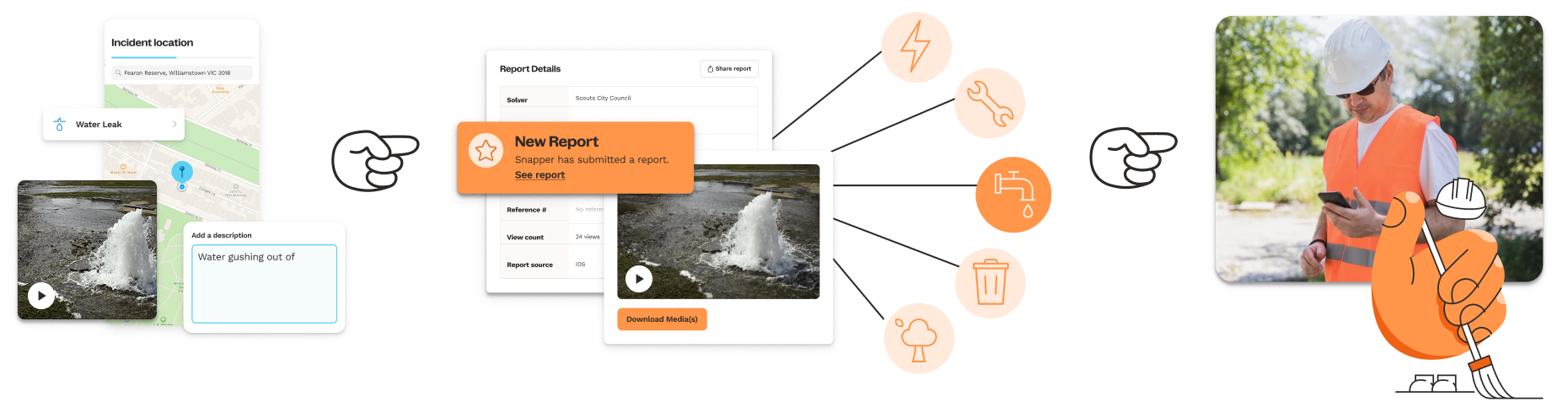
Your team ends up with more to go on: movement, sound, and surrounding landmarks. And it arrives in your reports just like photos do.
Getting the message out starts at the top
Better reports don't just come from a good tool; they come from residents knowing how to use it. In South Gippsland Shire, the Mayor and Deputy Mayor took to social media themselves to show the community how to report local issues, pointing residents straight to Snap Send Solve.
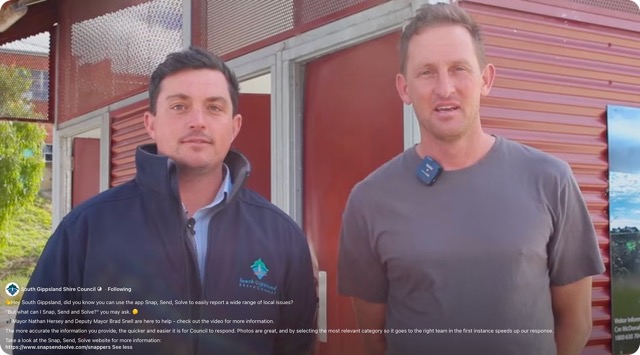
As the Mayor put it: "The more accurate the information you provide, the quicker and easier it is for Council to respond. Photos are great, and by selecting the most relevant category so it goes to the right team in the first instance speeds up our response."
When residents know to attach a photo and pick the right category before they hit submit, your team gets a report that's ready to action.
Check out our Solver Kit for assets you can use to promote Snap Send Solve to your community, the same way South Gippsland did.

Stay in the loop with insights that matter
Sign up for exclusive research, industry insights, and updates tailored for Solvers on the Snap Send Solve platform.